Crunchyroll MOD APK Not Working? 12 Fixes That Actually Work (2026)
Crunchyroll MOD APK not working? You’re not alone — crashes, login loops, and black screens are the most common complaints with modded builds. The good news: almost every problem has a simple fix. This 2026 troubleshooting guide walks through 12 proven solutions, starting with the quickest.
Quick Fixes: Try These First (2 Minutes)
Before anything drastic, run through this 60-second checklist — it resolves most issues:
- Force-stop and reopen the app (Settings → Apps → Crunchyroll → Force stop)
- Check your internet — switch between Wi-Fi and mobile data
- Restart your phone — clears temporary glitches
If the problem persists, work through the 12 fixes below in order.
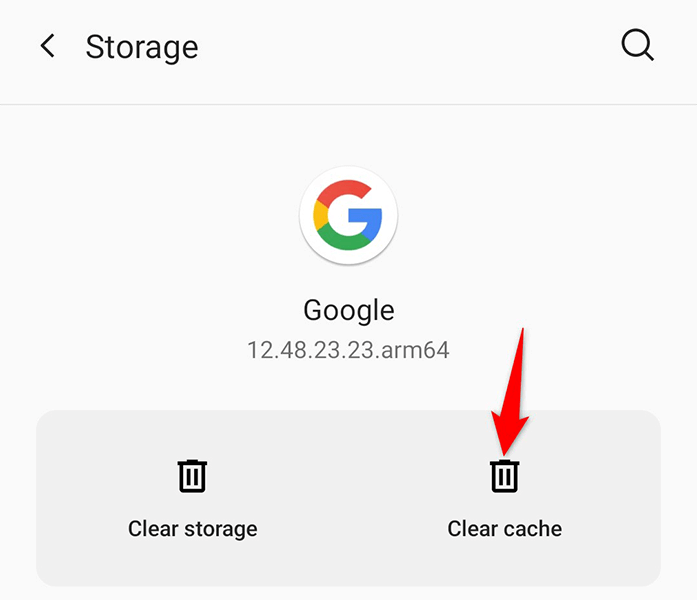
Fix 1 – Clear the App Cache
Corrupted cache is the #1 cause of crashes. Go to Settings → Apps → Crunchyroll → Storage → Clear cache. This deletes temporary files without touching your login or downloads. Reopen the app and test.
Fix 2 – Clear App Data and Sign In Again
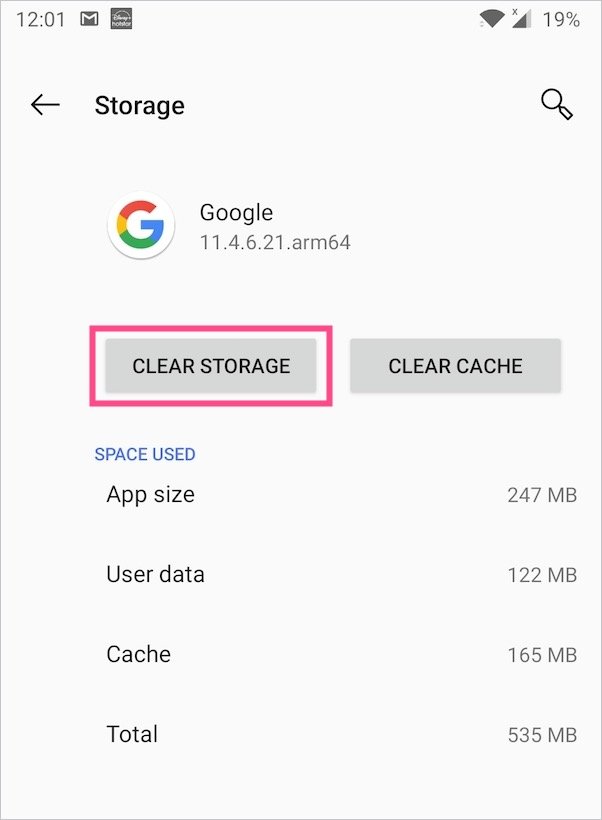
If clearing cache didn’t help, tap Clear data (or Clear storage) on the same screen. This resets the app completely — you’ll need to sign in again, but your watchlist is tied to your account and syncs back. See our Android installation guide if you need a refresher.
Fix 3 – Reinstall the APK Cleanly
Uninstall the app completely, restart your phone, then install a fresh copy of the latest Crunchyroll APK latest version. A clean reinstall fixes problems caused by partial updates or corrupted files. Always download from a reputable source and scan the file first — see our safety guide.
Fix 4 – Check Your Android Version
The current modded builds require Android 6.0 or higher. Check yours in Settings → About phone → Android version. On older devices, the app may install but crash on launch — there’s no workaround except updating your phone’s OS or using an older APK release.
Fix 5 – Free Up Storage Space
Android kills apps when storage runs critically low. You need at least 300–500 MB free beyond the app’s ~98 MB size for smooth operation. Delete unused apps, clear old downloads, or move photos to cloud storage.
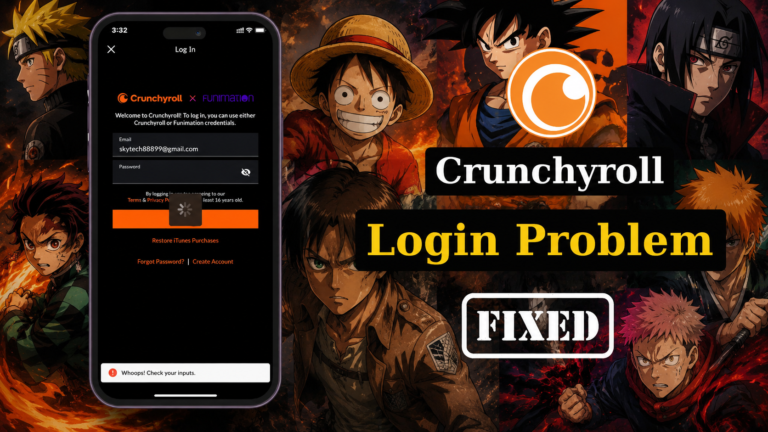
Fix 6 – Fix the Login Loop
Stuck bouncing between the login screen and the app? This usually means a corrupted session token. Clear app data (Fix 2), then sign in with a secondary Crunchyroll account to test. If the second account works, the issue is account-specific — reset that account’s password on Crunchyroll’s official site.
Fix 7 – Disable Battery Optimization for the App
Aggressive battery savers kill background streaming. Go to Settings → Apps → Crunchyroll → Battery → Unrestricted (wording varies by brand). This is a common fix for playback stopping when the screen locks.
Fix 8 – Turn Off VPN (or Try a Different Server)
Some VPN servers are blocked by Crunchyroll’s CDN, causing endless buffering or error codes. Temporarily disable your VPN — if the app works, the VPN was the problem. Either stream without it or switch to a server in your own country.
Fix 9 – Resolve “App Not Installed” Errors
This error means a conflicting Crunchyroll package is on your device. Uninstall every Crunchyroll version (official and modded), restart, then install only the MOD APK. Also check that the APK file fully downloaded — compare its size (~98 MB) with the source’s stated size.
Fix 10 – Fix Black Screen / Video Not Playing
Audio plays but the screen is black? First, toggle your connection (Wi-Fi ↔ mobile data). Then try lowering playback quality in the app’s settings — weak connections choke on HD streams. If it persists on all videos, reinstall (Fix 3).
Fix 11 – Update to the Latest MOD Version
Old builds break when Crunchyroll changes its servers. Check whether a newer Crunchyroll Premium APK release exists and install it over your current one — your login and settings carry over. Never update through the Play Store; it will overwrite the mod.
Fix 12 – Check for Server-Side Outages
Sometimes the problem isn’t your phone at all. If the official Crunchyroll app and website are also down, it’s a server outage — wait it out. Check Crunchyroll’s official social accounts for status updates.
When Nothing Works: Last Resort
If all 12 fixes fail, the build itself may be incompatible with your device’s chipset or Android skin. Options: try a different release of the same version from another reputable source, use the official app temporarily (see current pricing), or set it up on a different device like your PC.
Frequently Asked Questions
Why does Crunchyroll MOD APK keep crashing on startup?
Usually corrupted cache or an Android version below 6.0. Clear cache first (Fix 1), then check your OS version (Fix 4).
Why am I stuck in a login loop?
A corrupted session token. Clear app data and sign in again — preferably with a secondary account to isolate the issue (Fix 6).
Do I need to reinstall after every update?
Yes — modded apps can’t update via the Play Store. Download each new release and install it over the old version; your data is preserved.
Will these fixes delete my downloads?
Clearing cache won’t. Clearing data or reinstalling will remove offline downloads — you’ll need to re-download episodes afterward.
Final Thoughts
Most “Crunchyroll MOD APK not working” problems come down to cache, conflicting installs, or outdated builds — all fixable in minutes with the steps above. Bookmark this 2026 troubleshooting guide for the next time something breaks, and check our main Crunchyroll MOD APK guide for everything else.
6 Comments